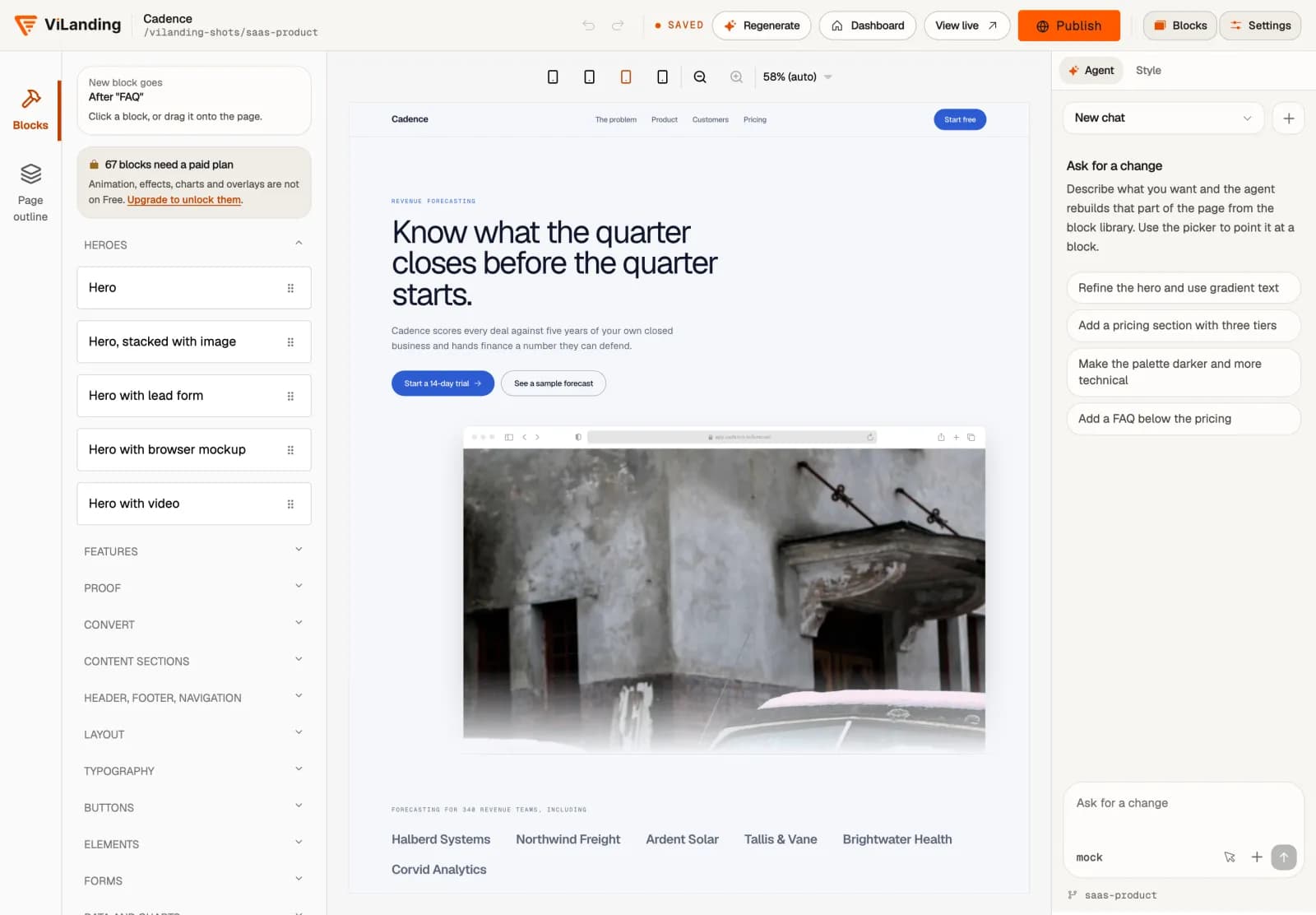
Everything you need to build a landing page, in one browser tab.
An AI agent, a visual editor, 233 blocks, 33 templates and publishing on your own domain.
Turn your restaurant menu into table orders.
Add dishes and tables, publish your menu and put a QR code on each table. Guests order on their phone and pay at the restaurant.
- 1
A QR code for every table
Guests scan their table code, check the number and open your menu.
- 2
One cart for the whole menu
Starters, main dishes and drinks go into one order, with prices in toman.
- 3
From the table to your order board
See new orders, start preparing them and mark them served. Print a kitchen receipt when you need one.
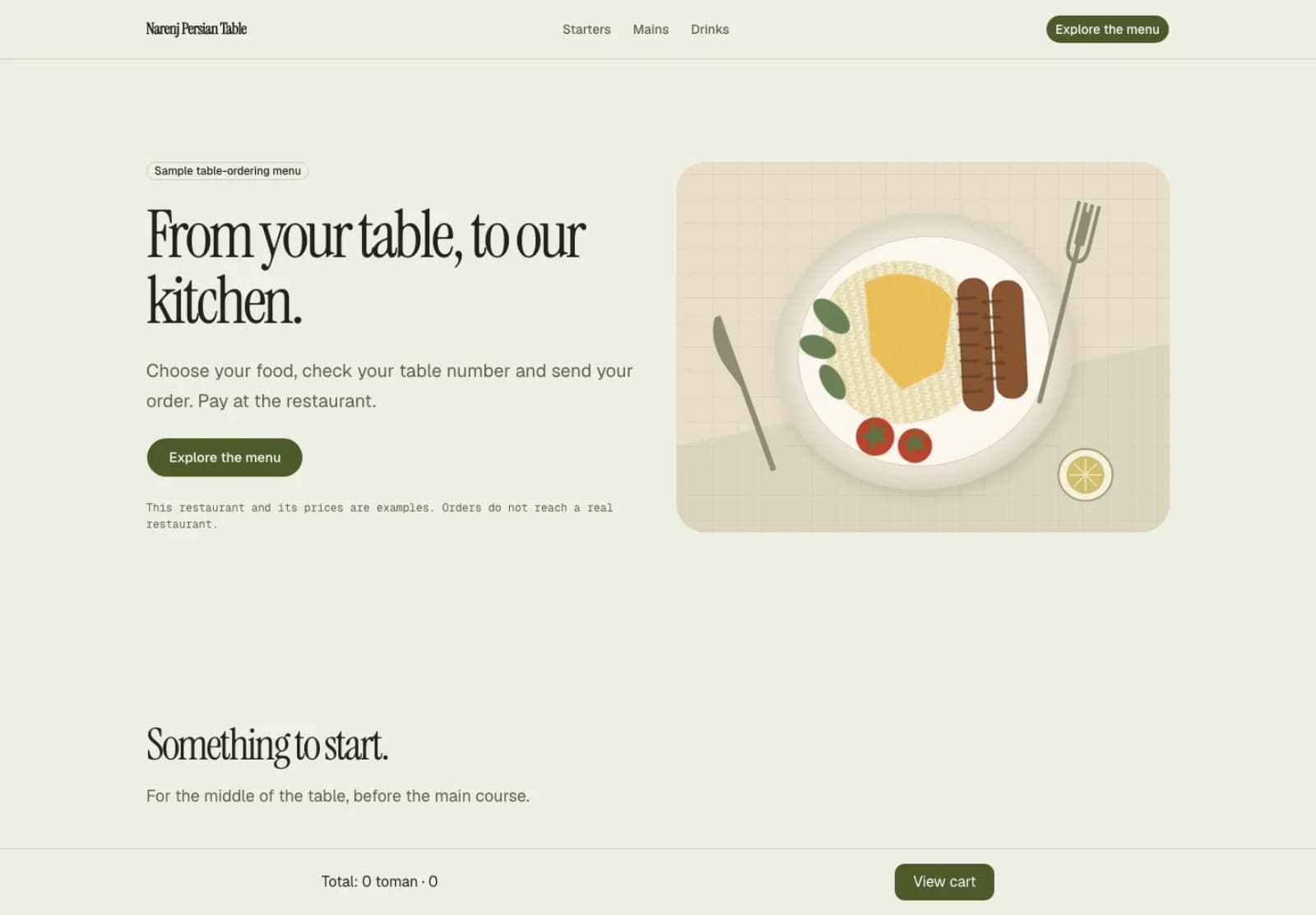
Sample restaurant, sample prices. The cart is part of the template.
The editor
Every block on one canvas. Drag, rewrite in place, check the phone layout and publish.
The AI agent
It edits the page instead of talking about it. Point at a block, say what you want, and undo it if you change your mind.
- “Make the pricing section shorter.”
- “Add an FAQ under the plans.”
- “Warmer colours, same fonts.”
Generation
Five fields in, a complete first draft out in a few minutes. 20 a day on the free plan, no limit on the paid ones.
233 blocks
In 17 families, from a hero section to a café menu, an opening-hours table, a chart and a light-ray background.
- Heroes
- Features
- Proof
- Convert
- Content sections
- Header, footer, navigation
- Layout
- Typography
- Buttons
Publishing
A free address the moment you publish, and your own domain on the paid plans, with the HTTPS certificate issued for you.
your-name.vilanding.ir
What the AI agent actually does with your five lines.
It reads the brief
The name, what it is, who it is for, what a visitor should do and the tone: five fields.
It lays out the page
It decides which sections a page like this needs, and in what order: a café needs a menu and a map, a software product needs pricing. If you chose a template, its sections stay and the AI agent writes into them.
It writes the copy
Headings, paragraphs, lists and answers, in the language of your brief and the tone you chose.
It picks colour and type
One accent colour and one pair of fonts across every block, so the draft hangs together before you touch it.
233 blocks in 17 families.
Each block has its own settings and fits into any page. The marked families unlock on the paid plans.
Heroes
5 blocksThe first thing a visitor sees, from the plain one to the one with a form or a video.
- Hero, stacked with image
- Hero with lead form
- Hero with browser mockup
- Hero with video
Features
11 blocksGrids, zig-zags, tabs, accordions, step-by-step and timelines.
- Bento grid
- Feature tabs
- How it works (steps)
- Timeline
Proof
13 blocksCustomer quotes, numbers and figures, logos and case studies.
- Testimonial marquee
- Stats band (animated)
- Case study cards
- Press quotes
Convert
12 blocksPricing, comparisons, frequently asked questions, waitlist forms and calls to action.
- Pricing comparison (2 plans)
- Comparison table
- FAQ (accordion)
- Waitlist
Content sections
19 blocksTeam, portfolio, a café menu, opening hours, a blog and events.
- Team grid
- Portfolio grid
- Menu / price list
- Location and hours
Header, footer, navigation
10 blocksA top bar, a dropdown menu, an announcement bar and a footer.
- Header bar
- Navigation menu (mega)
- Announcement bar
- Minimal footer
Layout
15 blocksColumns, grids, boxes and a split screen, for when you want to arrange it yourself.
- Split screen
- Columns
- Grid
- Card
Typography
15 blocksHeadings, paragraphs, quotes, lists and code snippets.
- Heading
- Pull quote
- Code snippet
- Definition list
Buttons
9 blocksFrom the plain button to the shimmering, rainbow and confetti ones.
- Shimmer button
- Rainbow button
- Confetti button
- Interactive hover button
Elements
17 blocksBadges, star ratings, progress bars and avatars.
- Star rating
- Progress bar
- Avatar stack
- Status pill
Forms
19 blocksContact, newsletter, one-time code and a calendar.
- Contact form
- Newsletter form
- One-time code
- Calendar
Data and chartsPro
12 blocksBar and line charts, tables and a row of key figures.
- Bar chart
- Table
- KPI row
- Animated number
Overlays and disclosurePro
13 blocksTabs, accordions, drawers and a command palette.
- Tabs
- Accordion
- Command palette
- Drawer (bottom)
Media
13 blocksGalleries, carousels, browser and phone frames, and maps.
- Carousel
- Browser mockup
- Phone mockup
- Map embed
BackgroundsPro
15 blocksDots, grids, particles, meteors and light rays, all of them animated.
- Dot pattern background
- Retro grid background
- Particles background
- Meteors background
EffectsPro
17 blocksGlowing borders, magic cards, a terminal and a dotted map.
- Border beam box
- Magic card (spotlight)
- Terminal
- Dotted world map
Text effectsPro
18 blocksGradient, typing, rotating and sparkling headings.
- Gradient text
- Typing text
- Rotating word
- Sparkles text
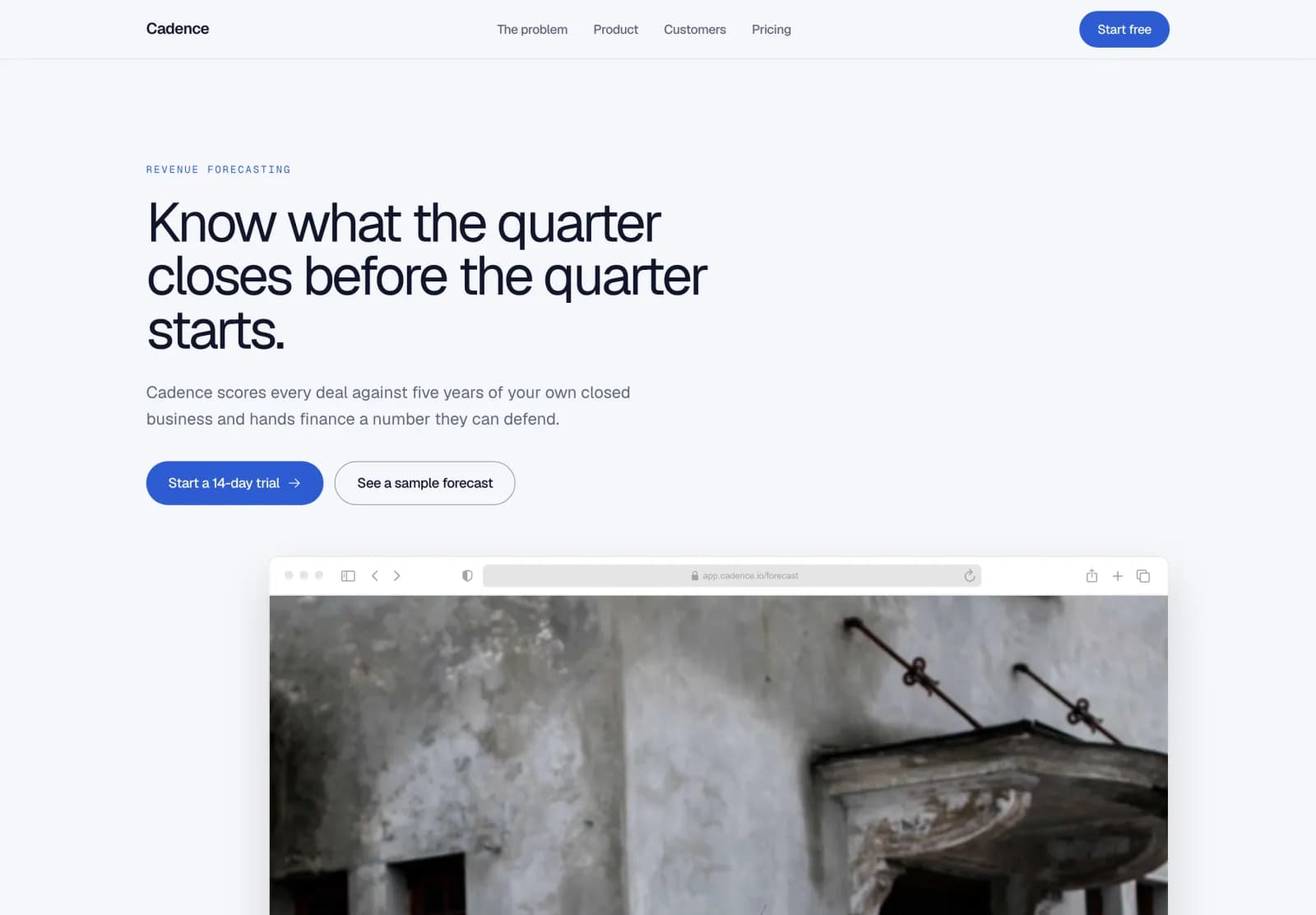
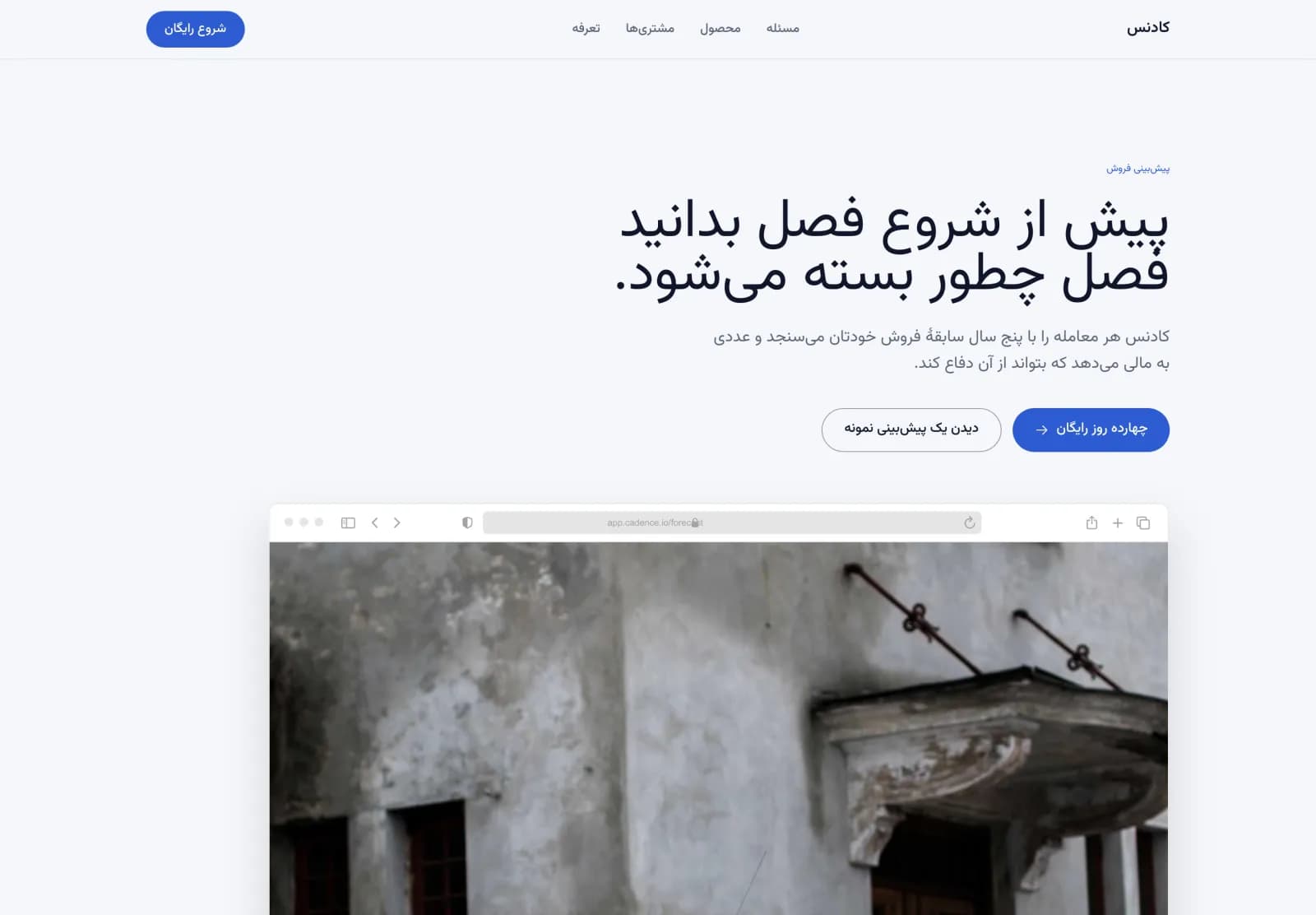
Persian first. English too.
From the typeface and the spacing to the arrows and the copy the AI agent writes, everything runs right to left.
A typeface made for Persian
Pages are set in Vazirmatn, and no block adds letter-spacing to Persian text.
Mirrored, not flipped
Alignment, order, arrows and icons follow the direction of the page.
Persian the AI agent writes
A Persian brief gets Persian copy back, idiomatic rather than translated.
Two addresses for every page.
A free address the moment you publish, and your own domain on the paid plans, with the HTTPS certificate issued for you.
On every plan, the free one included
your-name.vilanding.ir
- A free address, reserved the moment the page is created
- An HTTPS certificate, with nothing for you to do
On the paid plans
yourbrand.ir
- You add one DNS record and we verify it
- An automatic HTTPS certificate is issued for that domain
- Up to 5 domains on Pro, and unlimited on Max
Your landing page starts with a few lines.
Sign up free, choose a template or skip it, write five lines and let the AI agent do the rest. Publish it today.